For all you GNOME users with extreme compression needs, I bring you an early newyear present, LZMA support in file-roller.
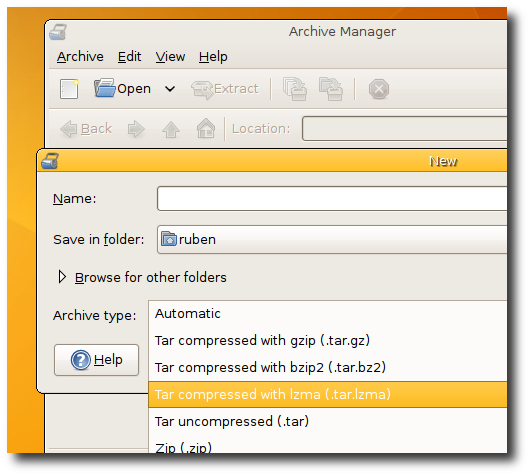
LZMA support in file-roller
Squeezes even more than bzip2!

This was done in under an hour, kudos to Paolo Bacchilega (who made file-roller) for making it this easy.

Happy newyear!

PS: This is probably my first post to hit Planet-GNOME (I’m not a high volume blogger), so: Hi everybody!

Posted .

Tags:

8 Responses to “Newyears gift”

  1. Author

    RubenV

    While I’m not involved in the daily maintenance of file-rolle, I have reopened your bug and raised the priority. I’m sure Paolo will take a look at it soon.

    Reply
  2. Author

    RubenV

    Great news, 7zip is already supported!

    You have to install the 7zip program to make it work though. On an Ubuntu system, you can do this by installing either the p7zip or the p7zip-full packages. They both provide a version of 7zip (one a bit bigger than the other), but file-roller is designed to handle both without problems.

    Reply
  3. Josh

    As the reporter of the original bug: Thank you!

    One minor note: normally, lzma-compressed tarballs use “.tar.lz”, not “.tar.lzma”. Not a big deal for me, though: I want to *open* them, not *make* them.

    I’ll have to give this a try on an lzma-compressed .deb .

    Reply
  4. Author

    RubenV

    Hi Wouter!

    What makes it much harder to add rzip support is that it doesn’t work with stdin/stdout, which in turn means you cannot use it with tar –use-compress-program.

    And that makes it a pain in the ass :-)

    Reply

Leave a Reply

  • (will not be published)